
ljn
ClickHouse Learnings
Duplicate rows, broken JOINs, too many parts errors. These ClickHouse mistakes cost teams weeks. Here's what causes them and how to fix them.
Written by
Armend Avdijaj
-

ClickHouse is fast, genuinely fast 🚀🚀. But it has a steep learning curve, and the mistakes engineers make when adopting it tend to be both predictable and painful. We've gone through hundreds of Stack Overflow questions, GitHub threads, and Reddit discussions in r/dataengineering to find the patterns that keep surfacing. Here are the five most common ones.
Whether you're just starting with ClickHouse or you've been using it for a year and something feels off, this is for you.
Mistake #1: ClickHouse Duplicate Rows: Why ReplacingMergeTree Isn't Enough
This is one of the most searched ClickHouse problems on Reddit or Stack Overflow. The short version: ClickHouse does not deduplicate rows the way a relational database does. If you're building a data pipeline and assuming ClickHouse will just handle duplicate records for you, you're going to have a bad time.
What people expect
Coming from PostgreSQL or MySQL, engineers assume that inserting the same row twice (or with the same ID) will either throw an error or silently update the existing record. In ClickHouse, neither happens by default.
The MergeTree engine, ClickHouse’s base engine that most people start with, doesn’t deduplicate at all. Even ReplacingMergeTree, which is designed for deduplication, only deduplicates during background merge operations. That merge may happen seconds after your insert, or it may happen hours later. There is no guarantee.
Why this matters in streaming pipelines
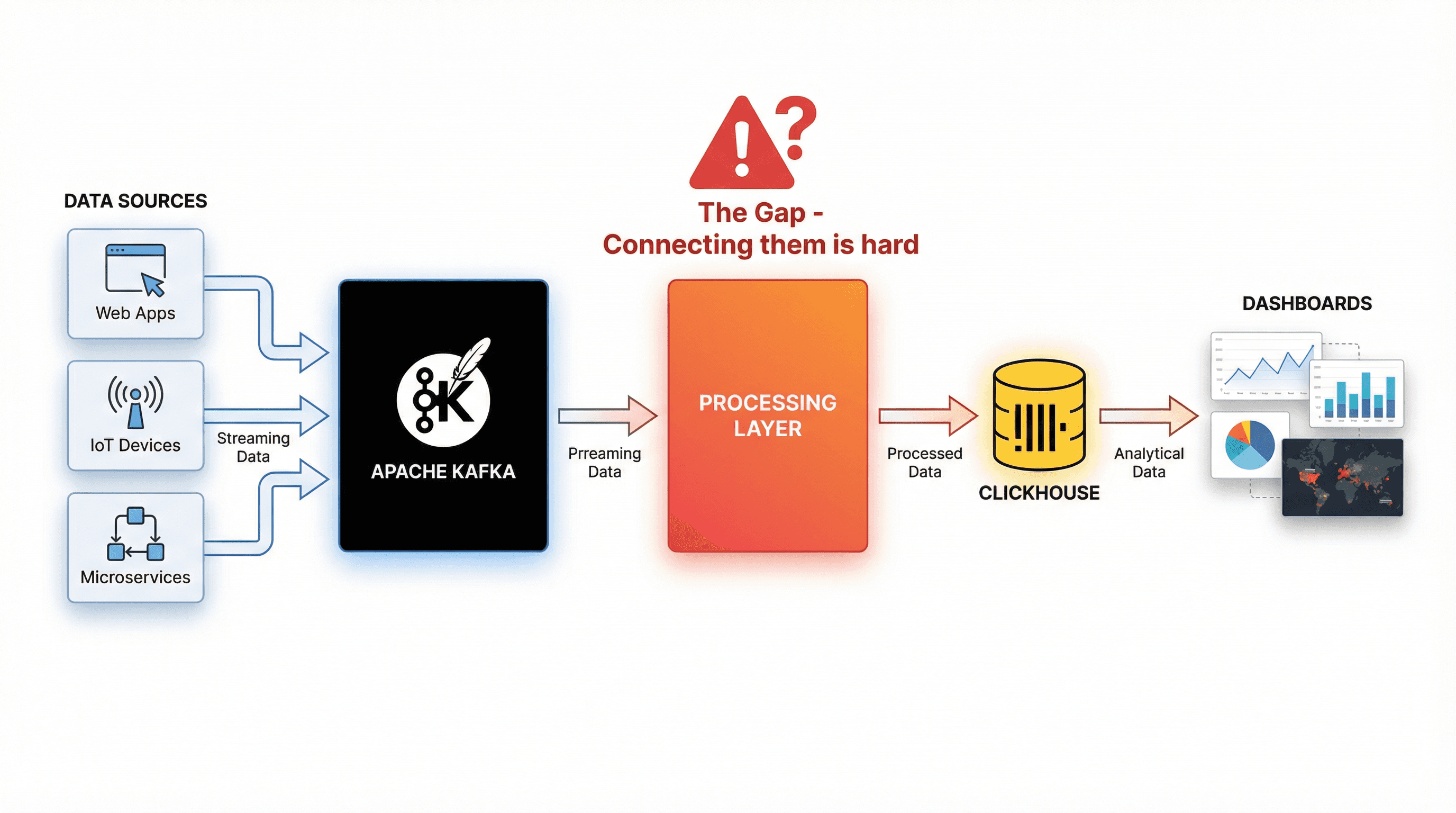
If you're using Kafka, Kinesis, or any at-least-once delivery system to feed data into ClickHouse, duplicate records are not an edge case; they're a guarantee. Network retries, consumer group rebalances, producer retries on timeout: all of these produce duplicates. If your pipeline doesn't handle this before data hits ClickHouse, your analytics will be wrong.
The FINAL trap
The most common workaround people reach for is adding FINAL to queries:
FINAL forces ClickHouse to merge and deduplicate at query time. It works, but it's expensive. It serializes reads and can destroy query performance on large tables. While FINAL got performance improvements in recent ClickHouse versions and can be used for many production workloads, it most certainly adds operational overhead.
The right approach
The best practice is to handle deduplication upstream, before data reaches ClickHouse. This means:
Deduplicate in your stream processing layer: before writing to ClickHouse, use a stateful processor that tracks seen event IDs and drops duplicates. This is exactly what GlassFlow does: it allows you to define stateful transformations on your data streams, including deduplication logic, so that only clean, deduplicated data lands in ClickHouse.
Use
ReplacingMergeTreewith version columns: if you can't deduplicate upstream, at least use the right engine and add aversionorupdated_atcolumn so ClickHouse knows which row to keep:
Use insert_deduplicate for synchronous dedup on insert: this works at the block level (not row level), meaning it only deduplicates identical insert blocks, not individual rows. Useful for retry safety, not for general deduplication.
ℹ️ This is one of the most upvoted ClickHouse questions on Stack Overflow. |
|---|
Mistake #2: Choosing the Wrong Table Engine in ClickHouse
ClickHouse has over 30 table engines. The MergeTree family alone has eight variants. Most engineers pick MergeTree because it's the default and move on. This works for a while… until it doesn't.
The MergeTree family, briefly
Engine | When to use it |
| Append-only data with no dedup needs |
| You want "latest state" semantics (upserts) |
| You want pre-aggregated sums |
| Complex incremental aggregations (use with Materialized Views) |
| Tracking state changes with sign rows |
| Same, but handles out-of-order events |
The most common wrong pick
Engineers building event tracking or CDC (change data capture) pipelines often default to MergeTree, then wonder why their row counts are inflated or why GROUP BY aggregations return wrong results. The right engine for "latest state wins" data is ReplacingMergeTree. For pre-computed metrics, AggregatingMergeTree combined with a Materialized View is significantly more efficient than recomputing aggregates at query time.
What the community says
From a discussion on the ClickHouse GitHub: "I spent two weeks debugging query results before realizing I needed ReplacingMergeTree. The docs don't make the implications obvious."
The fix isn't complicated. It's about reading the engine descriptions carefully before creating your tables. Schema migrations in ClickHouse can be painful enough, so choosing the right engine upfront is worth the extra time.
Mistake #3: Treating the Primary Key Like a Relational Database in ClickHouse
This one catches almost every engineer who comes from an RDBMS background. In PostgreSQL or MySQL, the primary key enforces uniqueness. In ClickHouse, it does neither.
What PRIMARY KEY actually means in ClickHouse
ClickHouse uses a sparse index. Rather than storing an index entry for every row, it stores one entry per 8,192 rows (the default index_granularity). The primary key is used to skip ranges of data, not to find individual rows.
This means:
No uniqueness enforcement: you can have duplicate primary key values
Column order matters enormously: the first column in your
ORDER BYshould be the one you filter on most often and has relatively low cardinalityHigh-cardinality first = bad: putting
user_idorevent_idfirst in a high-volume table often hurts more than it helps
The ORDER BY is the real lever
The rule of thumb: order columns from lowest cardinality to highest, matching the filters you run most often. Tenant ID before date before event ID. Country before city before user. This lets the sparse index skip the most data.
ℹ️ There are several threads on r/dataengineering covering ClickHouse ORDER BY design. Search "clickhouse order by cardinality" for real examples. |
|---|
Mistake #4: ClickHouse "Too Many Parts" Error: How Small Inserts Break Your Pipeline
If you've used ClickHouse for more than a few days in a real environment, you've probably seen this error:
This is one of the most commonly reported ClickHouse issues, and it's almost always caused by the same thing: too many small inserts.
Why this happens
Every time you insert into a MergeTree table, ClickHouse writes a new data part to disk. In the background, it merges these parts together. If you're inserting thousands of tiny batches, like one row at a time, or one event per API call, you'll create parts faster than ClickHouse can merge them. Eventually, you hit the max_parts_in_total limit and writes start failing.
This is a fundamental design choice, not a bug. ClickHouse is optimized for large sequential writes.
The fix
Batch your inserts. The official recommendation is to insert at least 1,000 to 100,000 rows per batch, no more than once per second. In practice, batching every few seconds with 10,000+ rows is a safe target.
If your data source produces events one at a time (a webhook, a microservice, a queue consumer), you need a buffering layer. Options:
Buffer table engine: ClickHouse has a built-in
Bufferengine that accumulates writes in memory before flushing to the target table. It works but is stateful and can lose data on crashes.Stream processing layer: A better approach is to batch and aggregate events before they reach ClickHouse. This is core to what GlassFlow provides: a data pipeline that can accumulate, transform, and flush events in configurable batches, ensuring ClickHouse always receives writes at the right cadence.
Kafka/queue with batch consumers: If you're already using Kafka, configure your ClickHouse Kafka consumer to read in large batches rather than one message at a time.
Mistake #5: ClickHouse JOIN Performance: Why It's Different from PostgreSQL
ClickHouse supports JOINs. But if you're running ad-hoc normalized JOIN queries the same way you would in a relational database, you're going to get poor performance and, occasionally, wrong results.
The core issue
ClickHouse is a columnar store optimized for analytical queries on wide, denormalized tables. Its JOIN implementation has traditionally been less mature than its aggregation and scan engine. While this has improved significantly in recent versions, there are still important rules:
The smaller table goes on the right
ClickHouse loads the right-hand table into memory as a hash table. If you accidentally put a 10 billion row table on the right side of a JOIN, you're going to run out of memory. Always put the smaller (dimension) table on the right:
Denormalize where you can
The idiomatic ClickHouse approach is to denormalize data before it lands in the database. Instead of joining at query time, flatten your data upstream so queries become simple column scans. Yes, this means some data duplication. ClickHouse's compression makes this much less costly than it sounds.
Use dictionary lookups for small dimension tables
For static or slowly-changing reference data (user metadata, product catalogs, country codes), ClickHouse Dictionaries are a far more efficient alternative to JOINs:
Bonus: the union_all_result_structures_mismatch error
If you're combining result sets with UNION ALL, you'll eventually hit this:
ClickHouse requires every UNION ALL branch to have the same number of columns and compatible types, in the same order. Unlike PostgreSQL, it won't implicitly cast types for you.
If you're combining outputs from different pipeline stages or Materialized Views, make sure the schemas are explicitly aligned. A mismatch here will fail at query time, not at insert time, which makes it easy to miss until production.
Pre-join in your pipeline
If you regularly join two streams, like user events enriched with user properties, the right place to do that enrichment is in the stream processing layer, not at query time. GlassFlow supports stateful stream enrichment, allowing you to join event streams against reference datasets before data lands in ClickHouse. This eliminates the JOIN at query time entirely.
Want the full guide?
We've covered the five most common ClickHouse mistakes that trip up teams early on. The remaining five go deeper into technical considerations for dev teams adopting ClickHouse in their stack, including:
ClickHouse mutations
Partitioning and sharding in ClickHouse
Schema design
ClickHouse materialized views and
Disaster recovery for ClickHouse, something that most teams only discover too late.
We've packaged the complete guide as a free PDF you can keep, share with your team, or hand to whoever is evaluating ClickHouse for your stack.
Access the full guide here for free →
Did you like this article? Share it!
You might also like


Data transformations at TB scale for ClickHouse
Get query ready data, lower ClickHouse load, and reliable pipelines at enterprise scale.
